Resume for Freshers & Students: Simple Tips on How to Make a Resume
A resume is a very important document. Through your resume, the company learns about your background and abilities. A good resume can help you get an interview. Many students and freshers, however, often get confused between a Resume and a CV (Curriculum Vitae).
The two terms are often confused with each other, but in reality, they are not the same.
CV vs Resume: What’s the Difference?
| Feature | Resume | CV (Curriculum Vitae) |
| Length | 1-2 pages | 2-5+ pages |
| Purpose | Job applications (private companies, internships, MNCs) | Academic roles, research, and universities |
| Focus | Skills, education, projects, work experience | Complete academic history, research, and publications |
| Best For | Freshers, students, job seekers | Professors, researchers, and PhD aspirants |
Simple Rule:
- Use a Resume when applying for jobs.
- When applying for research roles or higher education, a CV is the right choice.
Now that the distinction is clear, let’s shift our attention to building a powerful Resume that can open doors to interviews and career opportunities.
Step 1 – Choose the Right Resume Format

When we make a resume, the first thing we decide is the format.
Format means the way we arrange the information in our resume.
There are three common formats:
1. Chronological Resume
- This format highlights your employment background by listing past jobs before other details.
- It is good for people who have already worked in companies.
2. Functional Resume
- In this, we write our skills first (like computer skills, writing, or designing).
- It is best for students and freshers who do not have much job experience.
3. Combination Resume
- In this format, both skills and work experience are presented together.
- It is ideal for candidates who have both job experience and valuable skills.
Tip for Students & Freshers:
If you are a student or a fresher (new job seeker), you should use the Functional Resume, because it focuses on your skills instead of work experience.
Which resume format is ideal for students and freshers?

When writing a resume, the first step is to choose the right format. Here’s a quick comparison:
| Resume Format | Best For | Focus On | Weakness |
| Chronological Resume | Experienced professionals | Work history & job titles | Not suitable for freshers (less/no experience) |
| Functional Resume | Students & Freshers | Skills, projects, certifications | It may look less detailed for experienced roles |
| Combination Resume | People with some experience & skills | Mix of skills + work history | Longer, not ideal for one-page resumes |
Tip for Students:
If you are a fresher, use the Functional Resume format.It focuses more on what you can do and what you’ve studied instead of past jobs.
Step 2 – Write a Strong Career Objective

A career objective is a short statement that tells the employer about your goals, interests, and what you want to achieve in your career. It is written at the top of your resume, just below your name and contact details.
It helps the company understand:
- Why you are applying for the job
- What kind of work you want to do
- How the company benefits from your skills
How to Write a Career Objective
- Keep it short and clear 2-3 lines.
- Mention your career goal (the field or type of work you want).
- Write the skills that fit the job role.
- Use simple language so that it is easy to read.
Examples of Career Objectives
- IT / Software
I want to work as a software developer. I have skills in programming and problem-solving. I am ready to gain knowledge and build my career in IT.
- Banking / Finance
I wish to start my career in the finance or banking sector. I have knowledge of accounting and customer service, and I want to help customers with their financial needs.
- Teaching / Education
My goal is to become a teacher. I have good communication skills and I want to help students learn and succeed.
- Marketing
I wish to begin my career in the marketing field and gain practical experience. I am creative, good at communication, and interested in digital media.
- General (for freshers)
Seeking an opportunity in a reputed organization to start my career, learn continuously, and contribute effectively.
Tip for Students and Freshers
- Your career objective should match the job you are applying for.
- Do not copy long sentences. Keep it simple, short, and honest.
Step 3 – Highlight Your Skills
Your skills show what you can do. Skills are divided into two main types:
- Hard Skills (Technical Skills) – These are job-related skills that can be measured or taught.
- Soft Skills (People Skills) – These are personality-related skills that show how you work with others.
1. Hard Skills (By Field)
Different fields need different technical skills. Here are some examples:
- IT / Software: Programming, database management, web development
- Digital Marketing: SEO (Search Engine Optimization), content writing, social media management
- Banking / Finance: Accounting, financial analysis, MS Excel
- Healthcare: Nursing, first aid, medical knowledge
- Teaching / Education: Lesson planning, classroom management, subject knowledge
You can acquire hard skills by enrolling in professional courses and certification programs.
2. Soft Skills (Useful for All Fields)
Soft skills are equally important. They show how well you can work in a team or solve problems.
Examples:
- Communication skills
- Teamwork
- Time management
- Problem-solving
- Leadership
- Adaptability
“Employers look for a mix of professional expertise and people skills in candidates.”
Tips for Writing Skills in a Resume
- Pick 5-7 skills that match the job description.
- Use keywords from the job posting (this helps your resume pass ATS – Applicant Tracking System).
- Always write skills in bullet points for easy reading.
Sample Resume Skills Section
Skills
- Programming (Python, C++)
- Web Development (HTML, CSS, JavaScript)
- Problem-Solving
- Communication Skills
- Teamwork
Fresher Resume: Good vs Bad Example
Here’s a quick look at common mistakes freshers make in resumes and how to fix them:
| Section | Bad Resume Example | Good Resume Example |
| Career Objective | Looking for a good job in a company where I can grow. | Seeking a digital marketing role where I can apply SEO and content writing skills to help a company grow online. |
| Skills | Hardworking, punctual, good learner. | SEO, Content Writing, MS Excel, Communication, Problem-Solving. |
| Format | Long paragraphs, colorful fonts, pictures | One-page, clean format, bullet points, ATS-friendly |
Tip: Always use specific skills and achievements instead of generic words.
Step 4 – Showcase Education & Certifications

Your education is one of the most important sections in a fresher’s resume because you may not have much work experience yet. Employers want to see your degree, subjects studied, and learning efforts.
How to Write Education in Resume
- Degree/Qualification – List your course name (e.g., B.Com, B.Tech, B.A, MBA, etc.).
- College/School Name – Write the full name of your institution.
- Passing Year – Include the year you completed (or expect to complete).
- Percentage/CGPA (optional) – Add only if it is good or required by the employer.
Example:
- B.Com (Hons.), Delhi University, 2022, 78%
- 12th (CBSE), Kendriya Vidyalaya, 2019, 82%
Field-wise Examples of Education & Certifications
Different fields need different qualifications. Here are some common examples:
IT / Software
- Degree: B.Tech in Computer Science, BCA, MCA
- Certifications: Python, Java, Database Management, Cloud Computing, Web Development (Coursera, Udemy, Google certificates)
Banking / Finance
- Degree: B.Com, M.Com, MBA (Finance)
- Certifications: Accounting (Tally, QuickBooks), Financial Analysis, Investment Banking, Excel courses
Teaching
- Degree: B.Ed, M.Ed, Graduation in any subject
- Certifications: Teaching Methodology, Classroom Management, Online Teaching Tools
Healthcare
- Degree: B.Sc Nursing, B.Pharmacy, MBBS, Paramedical
- Certifications: First Aid, Emergency Care, Lab Training, WHO/Health Ministry Online Courses
Why Add Certifications?
In today’s time, companies want to see that you are learning beyond college. Online certifications show that:
- You are updated with the latest knowledge.
- You take initiative to improve yourself.
- You can bring extra skills to the job.
Example: A B.Com graduate with Excel and GST skills has better opportunities in the finance sector
Extra Tips
- Write education in reverse order (latest first).
- Mention online courses (Coursera, Udemy, Google, LinkedIn Learning, etc.).
- Use job-related certifications – Example: SEO course for digital marketing, First Aid for healthcare, etc.
- Keep it short and clear – do not write unnecessary details like school projects unless required.
Step 5 – Add Experience, Projects, and Internships
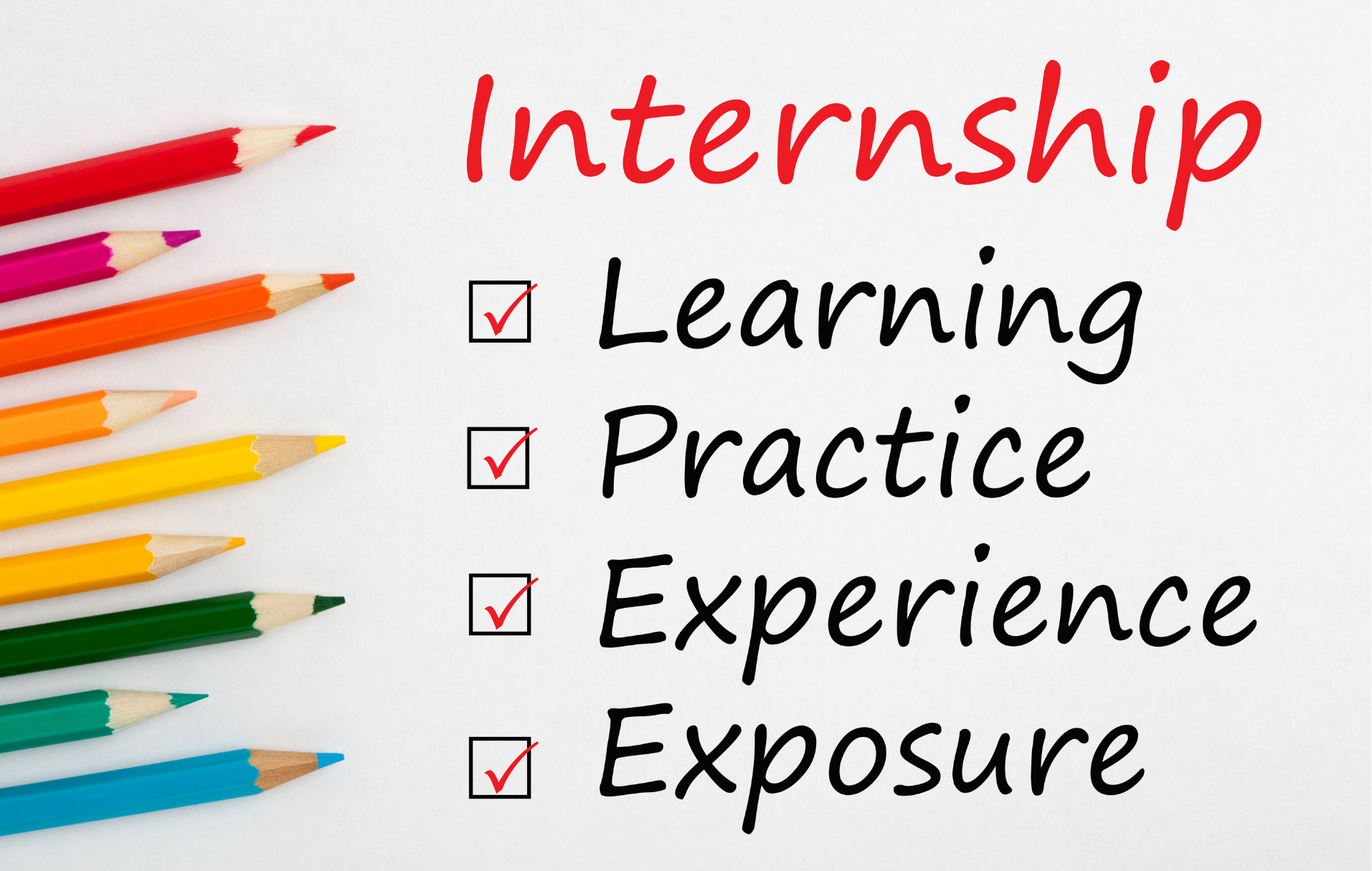
Even if you are a fresher, you should not leave this section empty. Recruiters want to see how you have applied your knowledge in real situations. Experience does not only mean full-time jobs-it also includes projects, internships, freelance work, and volunteering.
What to Include:
1. College Projects
- Mention projects you completed during your studies.
- Focus on what you did, tools/skills used, and results achieved.
- Example: Developed an e-commerce website using HTML, CSS, and PHP as part of final year project.
2. Internships
- Add internships, even if unpaid.
- Show what you learned and how you contributed.
- Example: Did a 3-month internship at XYZ Digital Agency, helped with SEO and wrote content for blogs.
3. Volunteer Work
- Include teaching, organizing events, helping NGOs, or assisting in campaigns.
- Example: Volunteered in a blood donation camp, managed registrations of 200+ donor s.
4. Freelance Work
- If you worked independently for clients (designing, writing, tutoring), mention it.
- Example: Freelanced as a social media manager for a startup, grew Instagram followers by 2,000+ in 3 months.
Examples by Field:
1. IT / Software:
- Developed a mobile app for college fest
- Created a database management system for library records
2. Digital Marketing:
- Managed Instagram page for college cultural fest
- Worked as a freelance content writer and wrote blogs for a startup.
3. Banking / Finance:
- Internship in a local bank assisting with loan applications
- Prepared financial statements for college project
4. Teaching:
- Conducted English classes for junior students
- Volunteered in summer camp as a maths tutor
5. Healthcare:
- Assisted in hospital as a volunteer during health camp
- Prepared awareness posters on hygiene and first aid
How to Write (Format):
- Position/Role: Intern, Volunteer, Project Leader, etc.
- Organization/Institution: Where you worked or project title
- Duration: Start – End (Month, Year)
- Description:
-What you did
-Skills/tools used
-Outcomes/impact (numbers if possible)
Example:
Intern – Digital Marketing
XYZ Agency | June-Aug 2025
- Researched 30+ keywords and optimized blogs for SEO
- Boosted website traffic by 25% within 2 months.
Tip:
- Always describe your tasks with action words like developed, managed, created, analyzed, and improved.
- Emphasize what you completed successfully, not just what you were assigned. For example, instead of ‘handled social media,’ write ‘managed social media and increased followers by 30%.
Step 6 – Customize Resume for Each Field

Your resume should not look the same for every job. You need to change it according to the job role. This is called resume customization.
Why?
Because every company looks for different skills. If you show the right skills, your chances of selection increase.
Examples by Field
1. IT / Software
- Highlight: Programming languages, coding projects, problem-solving.
- Example: Created a mobile app using Java during final year project.
2. Banking / Finance
- Highlight: Accounting knowledge, Excel, financial projects.
- Example: Completed internship at XYZ Bank, learned about customer handling and account opening process.
3. Teaching
- Highlight: Teaching practice, communication skills, subject knowledge.
- Example: Taught Mathematics to school students during internship.
4. Digital Marketing
- Highlight: SEO, social media campaigns, blog writing, ads.
- Example: Managed Instagram page for a small business and increased followers by 30%.
5 . Healthcare
- Highlight: Medical knowledge, patient care, lab work, first-aid.
- Example: Volunteered in a hospital and assisted nurses in patient care.
Tip for Students
- Read the job description carefully.
- Find the keywords (skills, tools, qualities mentioned).
- Add those keywords in your resume.
For example:
- If the job description says “Knowledge of MS Excel”, write “Worked on MS Excel for financial data analysis.
Step 7 – Keep It ATS-Friendly
When you apply for jobs in big companies, your resume is often not read by a human at first. Instead, it goes through a computer software called ATS (Applicant Tracking System).
What is ATS (Applicant Tracking System)?
- ATS is a computer program that scans resumes and decides whether they match the job description.
- It looks for keywords (like “Digital Marketing”, “Python”, “Finance”, etc.) that the employer has mentioned in the job posting.
- If your resume has the right keywords and format, it gets selected and sent to HR. If not, it gets rejected automatically.
Think of ATS like an exam checker: if you write the right answers (keywords), you pass. If not, your paper gets rejected, even if you are talented.
How to Make Your Resume ATS-Friendly
1. Use a Simple Format
- Avoid using tables, text boxes, graphics, or fancy templates.
- Keep everything in plain text with clear headings like Education, Experience, Skills.
2. Choose Standard Fonts
- Select clean fonts like Arial, Calibri, or Times New Roman to make your resume both professional and ATS-friendly.
- Avoid stylish or handwritten fonts.
3. Include Keywords Naturally
- Read what the company wants and add those skills to your resume.
- Example: If the job requires “SEO, Google Ads, Content Writing”, make sure these words appear in your Skills or Experience section.
4. Save in the Right Format
- Save your resume in .docx (Word) or text-based PDF.
- Do not use image-based PDFs because ATS cannot read them.
5. Keep Sections Clear
- Use simple headings like Education, Experience, Projects, Skills.
- ATS scans headings to pick information.
Example
Bad Resume for ATS:
- Stylish design, colorful boxes, tables, and graphics.
- Saved as image-based PDF.
Good Resume for ATS:
- Simple black-and-white format.
- Keywords from the job description used.
- Saved as Word or text-based PDF.
Step 8 – Proofread and Final Touch

Once you have written your resume, the last step is to check and polish it before sending it to employers. This step is very important because even a small mistake in spelling or grammar can create a negative impression.
Why Proofreading is Important?
- Spelling or grammar errors in a resume can make employers think you are careless.
- A clean, mistake-free resume shows professionalism and attention to detail.
- It maximizes your chances of moving to the next hiring stage.
How to Proofread Your Resume?
1. Check Spelling and Grammar
Example: Write “Worked on Digital Marketing projects” instead of writing “Work on Digital Marketing project.”
2. Keep Resume Short
For freshers or students, 1 page is enough
For experienced professionals, a Maximum of 2 pages
3. Use Action Words (Power Verbs)
These words make your resume strong and professional.
Examples:
- Managed a team of 5 interns
- Created social media posts that increased followers
- Implemented a new strategy for sales growth
- Designed a project report
4. Ask for Feedback
- You can request a friend, teacher, or mentor to read your resume.
- They can spot mistakes you may not notice yourself.
Final Touch Checklist
- No spelling or grammar mistakes
- Resume length is correct 1-2 pages
- Action words are used
- Contact details are correct – phone, email
- Layout is clean and simple
Conclusion
A resume is not just a document – it is your first impression in front of employers. Even if you are a student or fresher without much work experience, you can still create a strong resume by focusing on your skills, academic projects, education, and achievements.
Always customize your resume according to the job role, keep it simple, clear, and error-free, and ensure it is ATS-friendly. Remember, a well-prepared resume shows your seriousness and professionalism.
Lastly, keep updating your resume regularly as you learn new skills or gain experience. A well-crafted resume grows alongside your experiences and serves as a powerful asset in your professional journey.
If you’re a student or fresher looking to build your first resume, download our free resume template or contact us for resume tips.
FAQs
Q1. Which resume format works best for students or entry-level job seekers?
Ans. The Functional Resume format is best for freshers because it highlights skills and education instead of work experience.
Q2.What is the ideal length of a fresher’s resume?
Ans. One page is enough for students and freshers. Keep it short, clear, and focused on skills, education, and projects.
Q3.Should freshers attach their picture on a resume?
Ans. In India, a photo is usually not required unless the company specifically asks. For international jobs, it’s better to avoid adding photos.
Q4. Can I make a resume without experience?
Ans. Yes, freshers can create a strong resume by including skills, education, internships, projects, certifications, and volunteer work.
Q5.As a fresher, which skills should I highlight in my CV?
Ans. Add a mix of hard skills (like MS Excel, SEO, Python, Accounting) and soft skills (like communication, teamwork, problem-solving).
Q6.How does a CV differ from a resume?
Ans. A resume is a short profile (not more than 2 pages) that presents your key skills, education, and experience to potential employers.
A CV (Curriculum Vitae) is more detailed, longer, and used for academic/research roles.
Q7. Do freshers need a career objective?
Ans. Yes, a career objective is important for freshers as it tells the employer about your career goal and why you are applying.
Q8. Should I include hobbies and interests?
Ans. Only if they are relevant to the job (e.g., blogging for digital marketing, sports for teamwork, etc.). Otherwise, you can skip them.
Q9. How can I make my resume ATS-friendly?
Ans. Keep your resume design clean, with easy-to-read fonts like Arial or Calibri, proper section titles, and relevant keywords from the job posting.
Q10. Can one resume be used for multiple job opportunities?
Ans. Modify your resume for every application so it reflects the qualifications the employer is looking for.
Q11. Should I write “Fresher” in my resume?
Ans. No, instead of writing “Fresher,” show your skills, projects, and career objective. Employers already understand from your experience section.
Q12. Do I need to mention references?
Ans. Not required unless the company specifically asks. You can write “References available on request.”
Q13. Is it okay to use resume templates from the internet?
Ans. Yes, but keep them simple and ATS-friendly. Avoid colorful or graphic-heavy templates.
Q14. Should I mention my marks/percentage in resume?
Ans. Yes, if your percentage or CGPA is good (above 60%). Otherwise, you can skip it.
Q15. What font size and style should I use in resume?
Ans. Use clean fonts like Arial, Calibri, Times New Roman. Keep font size 10–12 for text and 14–16 for headings.
Q16. Can I send the same resume for internship and job applications?
Ans. Mostly yes, but customize it slightly. For internships, highlight projects and skills; for jobs, highlight career objectives and certifications.
Q17.Is it appropriate to include social media profiles on my resume?
Ans. Only add professional links like LinkedIn, GitHub, or a personal portfolio. Do not add personal social media accounts.
Q18. Do spelling mistakes really matter in a resume?
Ans. Yes, even one spelling or grammar mistake can create a bad impression. Always proofread before sending.
Q19. Can freshers use action words in a resume?
Ans. Absolutely! Use words like Developed, Created, Managed, Organized, even for projects and internships.
Q20. How often should I update my resume?
Ans. Update your resume every 6 months or whenever you gain a new skill, certification, or project.